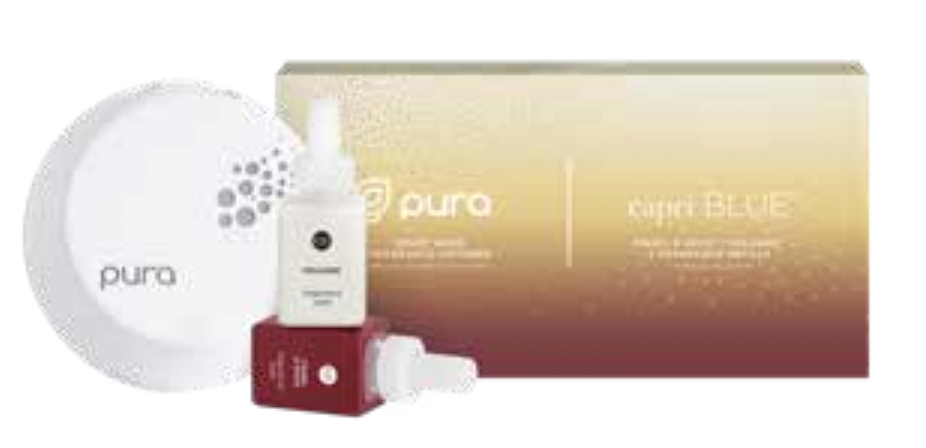
Capri Blue Home Diffuser Kit
Capri Blue Home Diffuser Kit
✅ Made In USA
✅ Quick Delivery
✅ Cruelty Free
BUNDLE & SAVE
Couldn't load pickup availability
-
Ordered
- - -
Order Ready
- - -
Delivered

Capri Blue Home Diffuser Kit
Everyone's favorite scent is now available in a Pura Home Diffuser! Fill your home with Volcano - iconic notes of tropical fruits and sugared citrus. You control your diffuser from anywhere and even set custom schedules!
- Includes 1 Pura Smart Home Diffuser and 2 Capri Blue Volcano Fragrance Vials (0.34 fl/oz) - each vial will last up to 350 hours on medium intensity
Step 1. Plug device into your outlet.
Step 2. Open app and log in through Facebook, Google or sign up for an account.
Step 3. On the home page, select the “+” button at the top right corner to add a new device to your app.
Step 4. If your Pura device’s LED light is dark blue, click the Green “START" button. If light does not turn blue, try resetting the Pura device by inserting tool into the hole to engage the mode button. Press and hold button for 3 seconds until LED light turns dark blue.?
Step 5. Exit app, go into the iOS settings, then Wi-Fi, then select the Pura-XXXX Wi-Fi network. Then return to the Pura app.
Step 6. After a few seconds, the app will automatically take you to the next step where you will choose your home Wi-Fi network. Select it and insert password. Click “SAVE”.
Step 7. Wait a few minutes while device onboards. Once finished select "ADD YOUR SCENTS."
Step 8. Insert the fragrance into the left slot and click, "CONTINUE."
Step 9. Select the fragrance you are using and click “SAVE AND CONTINUE.”
Step 10. Follow the same steps for slot 2 or select “Empty” if you are only using fragrances in slot 1.
Step 11. Select room type, and change the auto populated name to what you prefer. Select, “SAVE AND CONTINUE.”
Step 12. Review and select, “FINISH”.
Collapsible row
Collapsible row